One screen, the whole family's workout.
Track and celebrate your PRs together.
What makes Huddle different
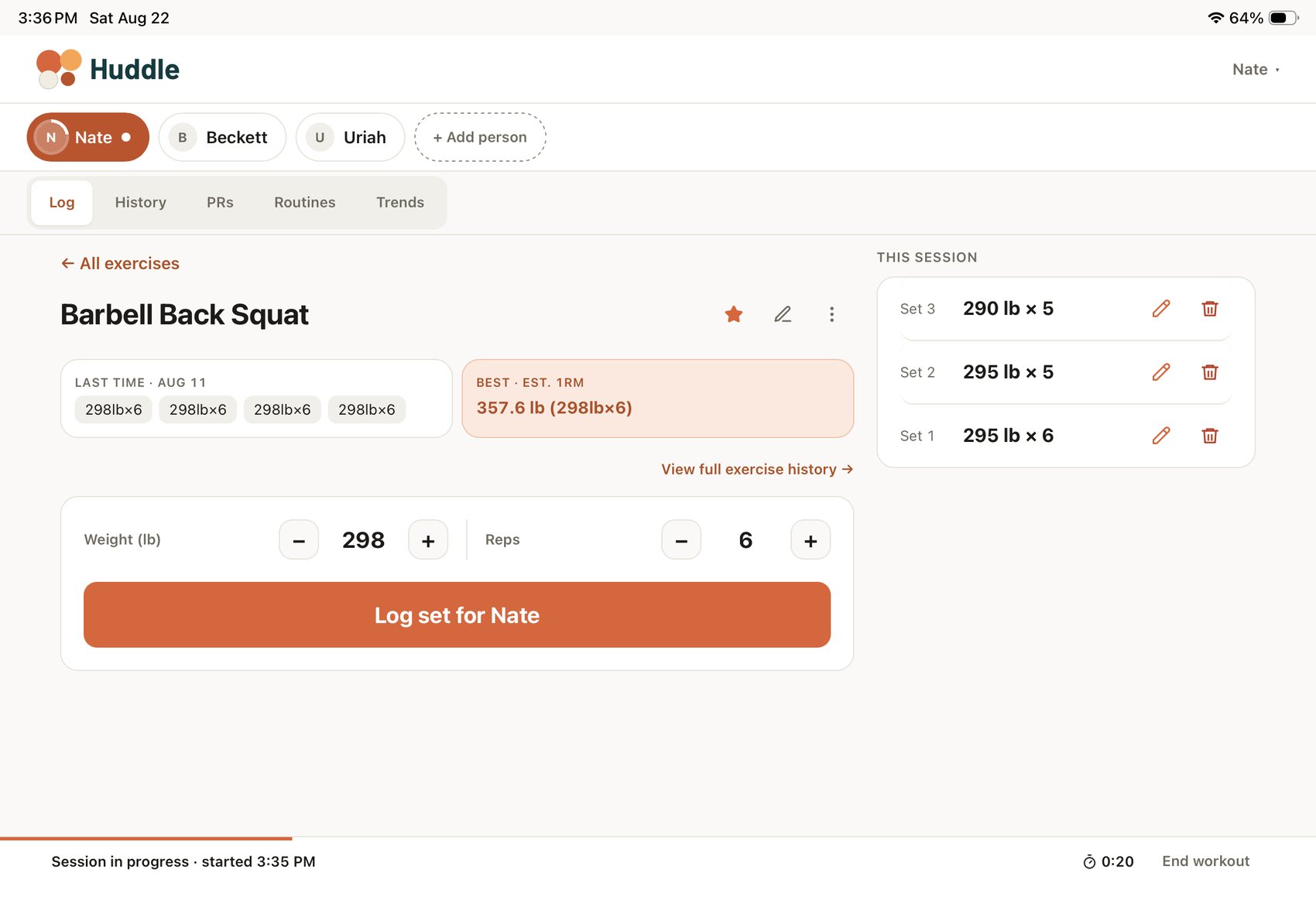
Everyone, on one screen
Easily switch between family members as you're working out together. Separate logs, history, PRs and rest timers.
No internet? No problem
Works even when your service is out. Sets, edits and notes save on the device and sync the moment you're back, and you can always see exactly what's still waiting.
Simple enough for everyone
Big buttons, plain words, nothing to set up and nothing to learn. Whether it's your first workout or your thousandth, you tap a name and start lifting.
The log screen
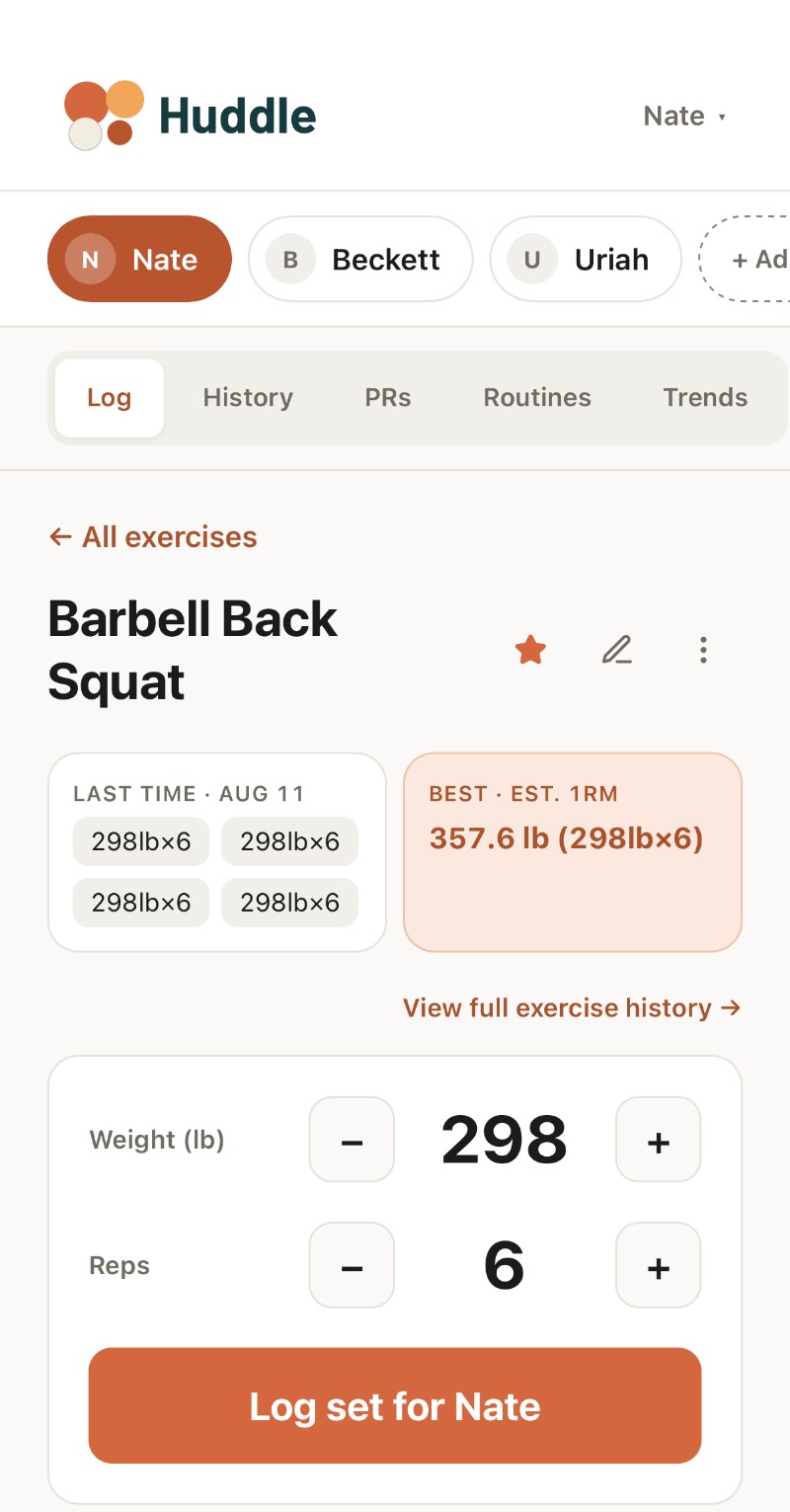
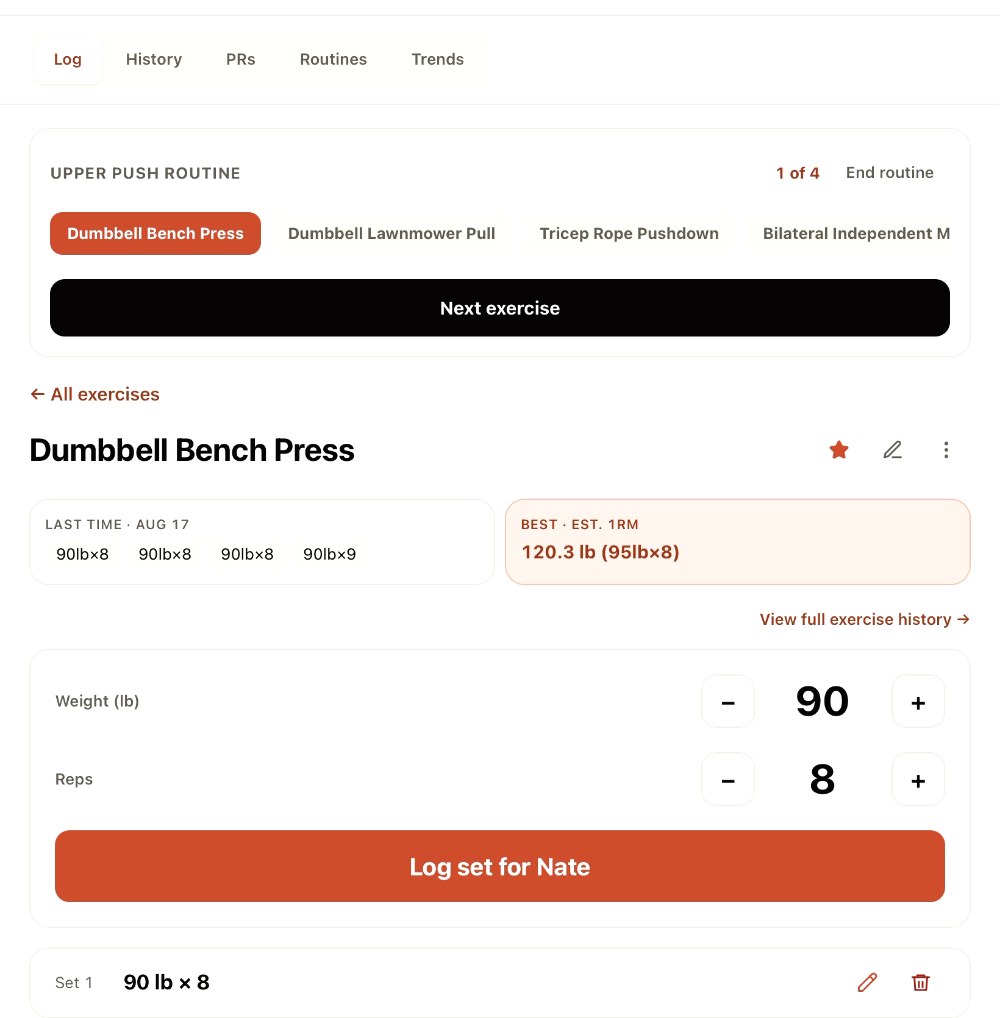
Log a set in two taps
Weight and reps prefill from last time, so most sets are one tap and go. What you did last session sits right there on the screen: no digging through history to remember whether you hit eight or six.
Beat your best and you'll know about it.
The household
Everyone's in the huddle
Tap a name to switch. A green dot means someone has a workout going; a ring means their rest timer is still running, so you can see who's ready without asking.
Nobody's numbers get mixed up with anybody else's. And when someone breaks a record, it's right there on the screen you're all standing around — and it waits for you rather than disappearing before anyone looks up.
Trends & records
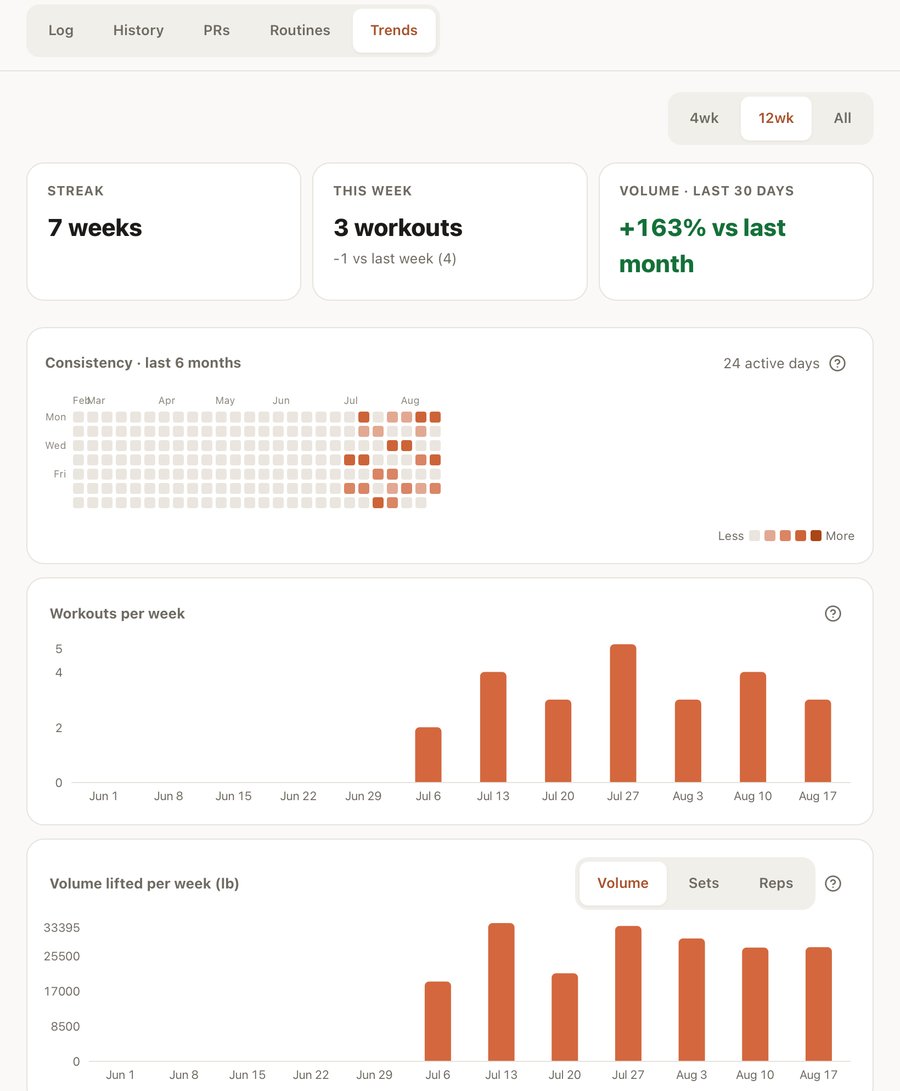
Watch it add up, week after week
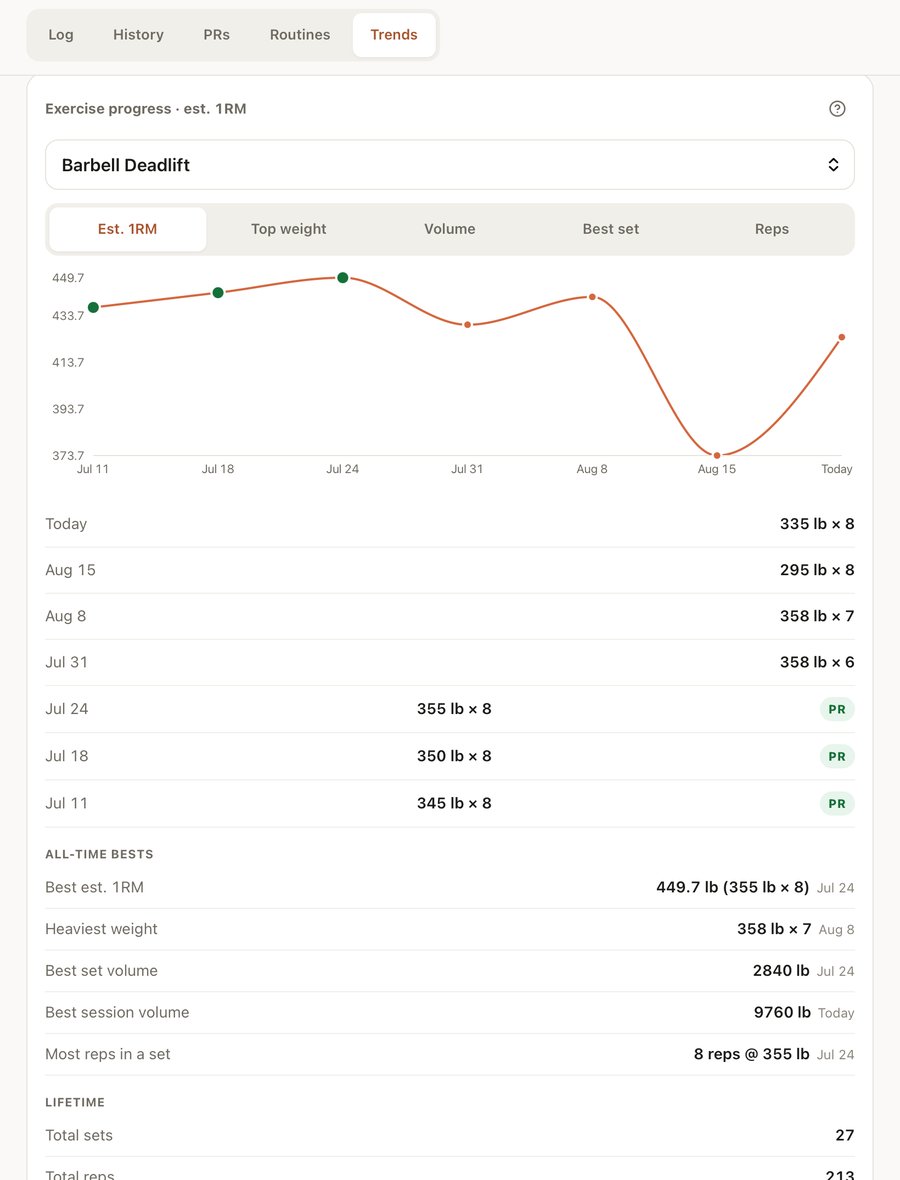
Every set feeds a picture of where each person is heading. Personal records are recomputed from your actual sets, so correcting an old entry corrects the record too.
Huddle tracks three kinds of record and celebrates each one as it happens: your best estimated 1RM, the heaviest you have ever loaded a lift, and the most total work you have done of it in a single workout. Every record names the sets behind it, so a big number is never a mystery.
Offline, properly
The basement gym test
Most apps show a spinner and lose the set. Huddle writes every set, edit and note to the device first, then syncs when the signal comes back, in order and without ever double-logging.
Your history, PRs and routines stay readable the whole time, for everyone in the house.

Pricing
The whole family
Everybody in the house gets their own log, at no cost, with no ads on either plan. Pay only when you want your whole history back, and your past workouts brought in.
Free
$0
Everything you need to train.
- Your whole family, on one account
- No ads, on Free or Plus
- Export everything to CSV, any time
- Unlimited workouts, sets and exercises
- Works with no internet, syncs when you're back
- PRs, routines, rest timer, trends
- The last 90 days of history
Save 39% yearly
Plus
$29/ year
or $3.99 a month. Everything in Free, plus your whole history.
- Lifetime history: every workout, forever
- All-time records and full-range trends
- Import past workouts from a spreadsheet or another app
- Personal logins for anyone in the household who wants one
- Everything in Free, for everyone in the house
Training clients, or coaching a team? Huddle Pro gives every client their own private login, assigned programs and a roster.
| Feature | Free | Plus |
|---|---|---|
| People in your household | Your whole family | Your whole family |
| Workouts, sets and exercises | Unlimited | Unlimited |
| No ads, ever | ||
| Works with no internet | ||
| PRs, routines, rest timer | ||
| History you can see | Last 90 days | Lifetime |
| All-time records and trend ranges | 90 days | |
| Export all data to CSV | ||
| Import past workouts | ||
| A personal login for each person |
Your workouts are never deleted on Free. The app shows you the last 90 days, and everything older is waiting — it all comes back the moment you upgrade.
Questions worth asking
Do my kids need their own logins?
No — one login covers the whole household for free, and everyone else is a profile you tap to switch. If an older kid wants their own sign-in instead, that's available with Plus. Either way, their data stays completely separate from yours.
Does it really work without internet?
Yes, for logging: sets, edits, notes, favourites, new exercises. Setup changes like routines and adding people need a connection, and the app tells you so.
Can I import my previous workouts?
Yes, with Plus. Bring in all your past workouts and your trends, PRs and history fill in instantly. Nothing to re-enter by hand.
Is there an app to install?
Add it to your home screen and it runs full-screen like any other app, offline included. No app store, no updates to chase.
What happens to my older workouts on Free?
Nothing is deleted, ever. Free shows the last 90 days; Plus shows all of it. Subscribe and your full history is back instantly.
Who is this actually for?
It was built for a dad and his kids sharing one screen in a basement. If that sounds like your house, it will fit.
Why not just track this in a spreadsheet?
You can, but nothing prefills, nobody's PRs get flagged, and it falls apart the moment two people share one phone mid-workout. Huddle does all of that on its own, with no formulas to fix and no columns to remember.
Do I need an iPad, or does it work on my phone too?
Any of them. Phone, tablet or laptop, in whatever browser you already have. The screenshots feature an iPad because that's what's bolted to our gym wall, but Huddle fits itself to whatever screen you open it on.
Get everyone logging tonight
Sign up with an email, confirm the code, add the people you train with. You'll be logging your first set in about two minutes.
Start free